
Network Router User Manual

I-Fly Wireless Router ADSL
16
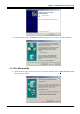
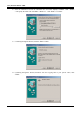
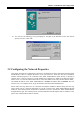
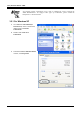
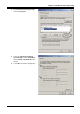
2. Insert the installation CD into the CD-ROM drive and check “Specify a Location”. Click “ Browse
“ and specify the folder CD:\A02-WRA-11B\Driver\. Click “Next>” to continue.
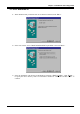
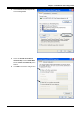
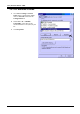
3. Continuing through the Wizard, click the “Next >” button.
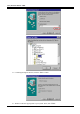
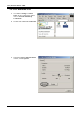
4. Continuing through the Wizard, Windows will start copying files to your system. Then, click
“Finish”.