
Network Router User Manual

I-Fly Wireless Router ADSL
24
3.2.3 For Windows 95/98/Me
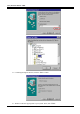
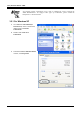
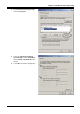
1. Go to Start / Settings / Control
Panel. In the Control Panel, double-
click on Network and choose the
Configuration tab.
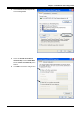
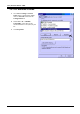
2. Select TCP / IP -> NE2000
Compatible, or the name of any
Network Interface Card (NIC) in your
PC.
3. Click Properties.