
Network Router User Manual

Chapter 3 Installation and Configuration
27
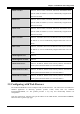
3.3 Factory Default Settings
Before you configure this device, you need to know the following default settings.
1. Web Configurator
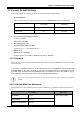
Password: There are two levels of password protection, Administrator Level and User Level.
User Name Password
Administrator Level
admin epicrouter
User Level
user password
2. Device IP Network settings in LAN site
IP Address: 10.0.0.2
Subnet Mask: 255.0.0.0
3. ISP setting in WAN site
Virtual Circuit 0: PPPoA VCMux
Virtual Circuit 1 ~ 7: 1483 Bridged IP LLC
4. DHCP server
DHCP server is enabled.
IP address pool from IP Address: 10.0.0.4 to IP Address: 10.0.0.15
3.2.1 Password
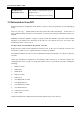
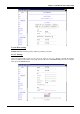
There are two levels of password protection. The first level is for administrator and the second
one is for user.
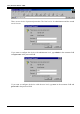
If you want to configure the device with administrator level, type admin in the username field
and epicrouter in the password field. If you want to configure the device with the user level,
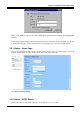
type user in the username field and password in the password field. Then, click “OK” to log in.
You can modify these passwords for security and management purpose.
If you ever forget the password to log in, you should contact the dealer where you bought this
product.
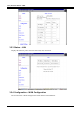
3.2.2 LAN and WAN Port Addresses
The parameters of LAN and WAN ports are pre-set in the factory. The default values are shown below.
LAN Port WAN Port
IP address
10.0.0.2
Subnet Mask
255.0.0.0
DHCP server function
Enabled
PPPoA with VCMux