
WebShare RB300 Wireless N Broadband Router USER GUIDE

WebShare RB300
Pag. 46
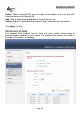
Delete: Select a Domain/URL from the table at the bottom of the list and click
Delete to remove the Domain/URL.
Add: Click to Add button to add domain to the Domains list.
Cancel: Click the Cancel button to erase all fields and enter new information.
Click Apply to save.
PROTOCOL/IP FILTERS
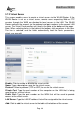
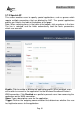
This protocol filter enables you to allow and deny access based upon a
communications protocol list you create. The protocol filter profiles are listed in
the table at the bottom of the page.