
AL329 User Manual V1.00


13
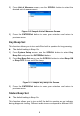
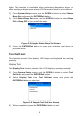
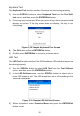
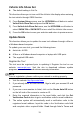
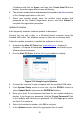
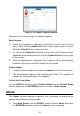
Figure 2-13 Sample Update Window
Generally, there are two ways to update programs:
Batch Update
1. Select the programs to update by checking the boxes next to those
items. Then click the Update All button on the bottom right of screen.
Click the Clear All button to deselect files.
2. Or, click on the Select All checkbox on the bottom left of screen and all
updatable items will be selected. Click the Update All button on the right
of the screen.
3. When the download is completed, the programs will be automatically
installed. The new version will replace the old version.
Single Update
1. Locate the desired update and click the Update button in the same line.
2. The downloaded programs will automatically install. The update will
replace the existing version of the software.
To Exit the Setup Menu
Use the SCROLL button to select Previous Menu from the System Setup
screen, and press the ENTER/Exit button to return to Main Screen.
About
The About function displays important tool information including serial
number and software version number.
1) From Main Screen, use the SCROLL button to select About and press
the ENTER/Exit button; wait for the About screen to display.