
AL329 User Manual V1.00

19
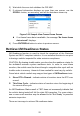
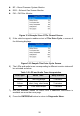
4) If more than one DTC is found, use the SCROLL button to review each
code.
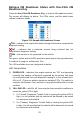
If retrieved DTCs contain any manufacturer specific or enhanced
codes, the tool’s AutoVIN technology will automatically display the
definition of the code.
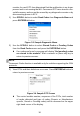
5) Select Previous Menu from the Read Codes screen, and press
ENTER/Exit button to return to previous menu.
Erase Codes
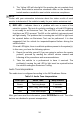
NOTE
1. Erasing the Diagnostic Trouble Codes may allow the scan tool to delete
not only the codes from the vehicle’s on-board computer, but also
“Freeze Frame” data and manufacturer-specific enhanced data. Further,
the I/M Readiness Monitor Status for all vehicle monitors is reset to Not
Ready or Not Complete status. Do not erase the codes before repairs
or services have been performed.
2. Even if deleted, codes will again display if the underlining fault causing
the code is not addressed.
1. This function is performed with key on, engine off (KOEO). Do not start
the engine.
1) Use the SCROLL button to select Erase Codes from Diagnostics
Menu and press the ENTER/Exit button.
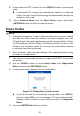
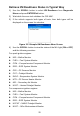
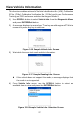
2) A warning message displays for your confirmation.
Figure 3-5 Sample Erase Codes Screen
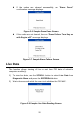
If you do not want to proceed with erasing codes, use SCROLL
button to select NO to exit. A message of “Command Cancelled!”
displays. Wait a moment or press any key to return to Diagnostic
Menu.
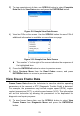
3) Press the ENTER/Exit button to confirm.