
AL329 User Manual V1.00

27
View Vehicle Information
This function enables retrieval of Vehicle Identification No. (VIN), Calibration
ID No. (CINs), Calibration Verification No. (CVNs) and In-use Performance
Tracking on 2000 and newer vehicles that support Mode 9.
1) Use SCROLL button to select Vehicle Info. from the Diagnostic Menu
and press ENTER/Exit button.
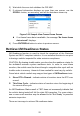
2) A message displays to remind you “Turn key on with engine off!” Wait a
moment or press any key to continue.
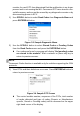
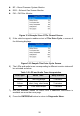
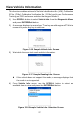
Figure 3-16 Sample Vehicle Info. Screen
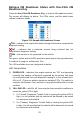
3) Wait while the scan tool reads vehicle information.
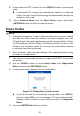
Figure 3-17 Sample Reading Info. Screen
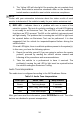
If the vehicle does not support this mode, a message displays that
the mode is not supported.
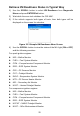
4) From Vehicle Info. menu, use the SCROLL button to select an
available item to view and press the ENTER/Exit button.
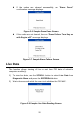
Figure 3-18 Sample Vehicle Info. Selection Screen