
AL329 User Manual V1.00

32
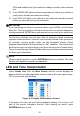
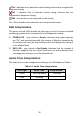
OK – indicates that a particular monitor being checked has completed its
diagnostic testing.
INC – indicates that a particular monitor being checked has not
completed its diagnostic testing.
N/A – the monitor is not supported on the vehicle.
The LED and audio tone indications are interpreted as below:
LED Interpretation
The green and red LEDs provide an easy way to check if emission-related
monitoring systems have completed their self-diagnostic testing.
1) GREEN LED – your vehicle is Ready. Indicates that engine systems
are “OK” and operating normally (the number of Monitors supported by
the vehicle that have run and performed their self-diagnostic testing is
in the allowed limit).
2) RED LED – your vehicle is Not Ready. Indicates that the number of
Monitors supported by the vehicle that have run and performed their
self-diagnostic testing is out of the allowed limit.
Audio Tone Interpretation
The audio tone can be configured according to the I/M Readiness Status.
Table 4-1 Audio Tone Interpretation
LED Light
Audio Tone
Beep Interval
Green
Two long beeps
2 minutes
Red
No beep