
AL329 User Manual V1.00

6
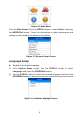
Figure 2-2 Main Menu
From the Main Screen: Use the SCROLL button to select Setup, and press
the ENTER/Exit button. Follow the instructions to make adjustments and
settings as described in the above setup options.
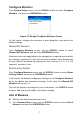
Figure 2-3 System Setup Screen
Language Setup
English is the default language.
1) From System Setup screen, use the SCROLL button to select
Language, and press the ENTER/Exit button.
2) Use the SCROLL button to select the desired language and press the
ENTER/Exit button to save your selection and return to previous screen.
Figure 2-4 Sample Language Screen