
AL529 User Manual V1.00

14
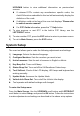
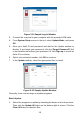
3) When completed, press the ESC button to exit.
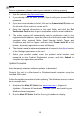
Vehicle Info Show Set
The default setting is Show On.
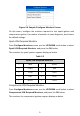
This function allows you to turn on/off the Vehicle Info display when entering
the test vehicle through OBDII function.
1) From System Setup screen, use the UP/DOWN scroll button to select
Vehicle Info Show Set and press the OK button.
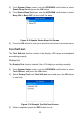
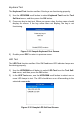
2) From Vehicle Info Show Set menu, use the UP/DOWN scroll button to
select SHOW ON or SHOW OFF to turn on/off the Vehicle Info screen.
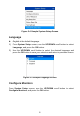
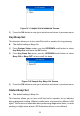
Figure 2-13 Sample Key Beep Set Screen
3) Press the OK button to save your selection and return to previous menu.
Update Mode
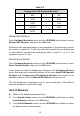
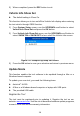
This function enables the tool software to be updated through a Mac or a
Windows-based computer.
To update your scan tool, you need the following items.
AutoLink
AL529
A Mac or a Windows-based computer or laptop with USB ports
The provided USB cable
Register the Tool
The tool must be registered prior to updating it. Register the tool on our
website: www.autel.com. Visit the site to download software update programs,
research tools and retrieve warranty information.