
AL529 User Manual V1.00

17
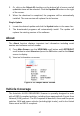
2. Or, click on the Select All checkbox on the bottom left of screen and all
updatable items will be selected. Click the Update All button on the right
of the screen.
3. When the download is completed, the programs will be automatically
installed. The new version will replace the old version.
Single Update
1. Locate the desired update and click the Update button in the same line.
2. The downloaded programs will automatically install. The update will
replace the existing version of the software.
About
The About function displays important tool information including serial
number and software version number.
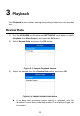
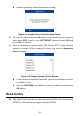
1) From Main Screen, use the UP/DOWN scroll button and LEFT/RIGHT
scroll button to select About and press the OK button; wait for the About
screen to display.
2) View tool information on screen.
Figure 2-16 Sample About Screen
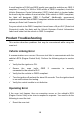
Vehicle Coverage
The AutoLink
AL529 OBDII/EOBD Scanner is specially designed to work
with all OBD II compliant vehicles, including those equipped with Control Area
Network (CAN) protocol. The EPA requires all domestic, Asian and European
vehicles, 1996 and newer vehicles (including light trucks), sold in the United
States must be OBD II compliant.