
AL529 User Manual V1.00


35
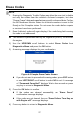
6) The scan tool continues to record PID data until the ESC button is
pressed, selected memory location is full, or it completes recording. A
message will display asking if the recording should be played back.
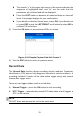
Figure 4-22 Sample Recording Done Screen
If you wish to playback recorded data, press the OK button; if you
do not wish to playback, press the ESC button, or use
LEFT/RIGHT button to select NO and press the OK button to
return to Record Data menu.
Record Custom Data Set
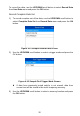
1) To record customized data, use the UP/DOWN scroll button to select
Custom Data Set from Record Data menu and press the OK button.
2) Observe on-screen instructions. Press the OK button to continue; press
the ESC button, or use LEFT/RIGHT button to select NO and press the
OK button to return to Record Data menu.
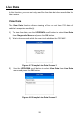
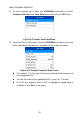
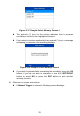
3) Use the RIGHT button select/deselect data parameters. Selected
parameters are marked with solid squares. Press the OK button to
confirm.
If you wish to deselect all marked items, press LEFT button.
A message displays for your confirmation.
If you decide to deselect these items, press OK; if you decide not
to, press the ESC button, or use the UP/DOWN button to select NO
and press OK to continue PID selections.
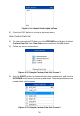
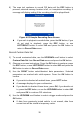
4) Use the UP/DOWN scroll button to select a trigger mode and press the
OK button.
If data from previously tested vehicle is not erased, data from
current test will be stored in temporary cache.