
AL529 User Manual V1.00


36
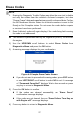
5) Use the UP/DOWN scroll button to select a memory location and press
the OK button.
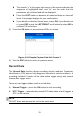
6) Follow on-screen instructions to select DTC trigger mode.
7) Wait for DTC to trigger recording or press OK to start recording.
8) The scan tool continues recording PID data until user presses ESC
button, the selected memory location is full, or it completes recording.
A message prompting to playback data shows on the screen.
If you wish to playback recorded data, press the OK button; if you
do not wish to playback, press the ECS button, or use the
LEFT/RIGHT button to select NO and press the OK button to return
to Record Data menu.
Playback Data
The Playback Data function allows viewing of previously stored PID data.
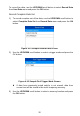
1) To playback recorded data, use the UP/DOWN scroll button to select
Playback Data from Live Data menu and press the OK button.
You are also allowed to playback recorded data immediately after
recording.
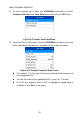
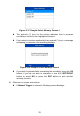
2) Use the UP/DOWN button to select the memory location marked with
an asterisk (*) icon.
Figure 4-23 Sample Select Memory Screen 2
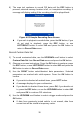
If there is no recording in selected location, a message “Not
Supported or Stored No Data” displays on the screen.
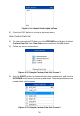
3) Use the UP/DOWN button to view recorded PIDs of each frame.