
AL529 User Manual V1.00


37
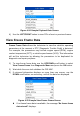
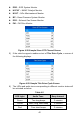
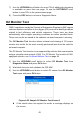
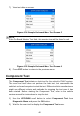
Figure 4-24 Sample Playback Data Screen
4) Use the LEFT/RIGHT button to view PIDs of next or previous frames.
View Freeze Frame Data
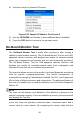
Freeze Frame Data allows the technician to view the vehicle’s operating
parameters at the moment a DTC (Diagnostic Trouble Code) is detected.
For example, the parameters may include engine speed (RPM), engine
coolant temperature (ECT), or vehicle speed sensor (VSS). This information
will aid the technician by allowing the parameters to be duplicated for
diagnostic and repair purposes.
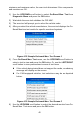
1) To view freeze frame data, use the UP/DOWN scroll button to select
View Freeze Frame from Diagnostic Menu and press the OK button.
2) Wait while the scan tool validates the PID MAP.
3) If retrieved information displays on more than one screen, use the
DOWN scroll button, as necessary, until all the data has displayed.
Figure 4-25 Sample View Freeze Frame Screen
If no freeze frame data is available, the message “No freeze frame
data stored!” displays.