
AL529 User Manual V1.00


38
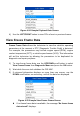
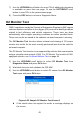
4) To view full name of a PID, use the UP/DOWN scroll button to select
the PID, and press the HELP button.
5) Press ESC button to return to previous screen.
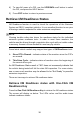
Retrieve I/M Readiness Status
I/M Readiness function is used to check the operations of the Emission
System on OBD II compliant vehicles. It is an excellent function to use prior
to having a vehicle inspected for state emissions compliance.
NOTE
Clearing trouble codes also clears the readiness status for the individual
emission system readiness tests. In order to reset these monitors, the
vehicle must be driven through a complete drive cycle with no trouble codes
in memory. Amount of time needed for reset vary by vehicle.
Some latest vehicle models may support two types of I/M Readiness tests:
A. Since DTCs Cleared – indicates status of the monitors since the DTCs
are erased.
B. This Drive Cycle – indicates status of monitors since the beginning of
the current drive cycle.
An I/M Readiness Status result of “NO” does not necessarily indicate that
the vehicle being tested will fail the state I/M inspection. For some states,
one or more such monitors may be allowed to be “Not Ready” to pass the
emissions inspection.
There are two ways to retrieve I/M readiness status.
Retrieve I/M Readiness status with One-Click I/M
Readiness Key
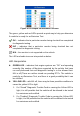
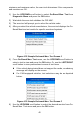
Press the One-Click I/M Readiness Key to retrieve the I/M readiness status.
The screen will display as below. The LEDs colors and the audio tones
indicate readiness status.