
AL529 User Manual V1.00


44
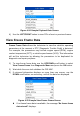
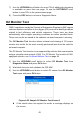
4) View test results of selected O2 sensor.
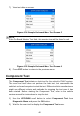
Figure 4-31 Sample O2 Monitor Test Screen 2
5) Use the UP/DOWN scroll button to view additional data if available.
6) Press the ESC button to return to the previous menu.
On-Board Monitor Test
The On-Board Monitor Test is useful after servicing or after erasing a
vehicle’s control module memory. The On-Board Monitor Test for non-CAN-
equipped vehicles retrieves and displays test results for emission-related
power train components and systems that are not continuously monitored.
The On-Board Monitor Test for CAN-equipped vehicles retrieves and
displays test results for emission-related power train components and
systems that are and are not continuously monitored.
The scan tool allows access to the results of on-board diagnostic monitoring
tests for specific components/systems. The vehicle manufacturer is
responsible for assigning "Manufacturer Defined Test IDs" and Component
IDs for tests of different systems and components. The advanced feature of
this scan tool enables you to read the definition of an On-Board Diagnostic
Monitor ID.
NOTE
The scan tool will display a test definition if this definition is present in the
vehicle’s computer memory. If no such definition is present, the scan tool will
only display the Test IDs.
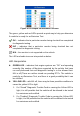
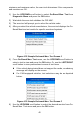
In this test, there are typically a minimum value, a maximum value, and a
current value for each monitor. By comparing the current value with the