
AL529 User Manual V1.00


45
minimum and maximum value, the scan tool determines if the components
and monitors are OK.
1) Use the UP/DOWN scroll button to select On-Board Mon. Test from
Diagnostic Menu and press the OK button.
2) Wait while the scan tool validates the PID MAP.
3) The scan tool will prompt you to select the vehicle make.
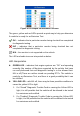
4) After you select the vehicle manufacturer, the scan tool displays the On-
Board Monitors test results for specific monitored systems.
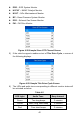
Figure 4-32 Sample On-board Mon. Test Screen 1
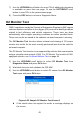
5) From On-Board Mon. Test menu, use the UP/DOWN scroll button to
select a test to view and press the OK button. Or, use the LEFT/RIGHT
scroll button to view previous/next screen of test items.
If the vehicle being tested does not support the mode, an advisory
message will display on the screen.
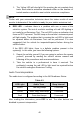
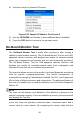
For CAN-equipped vehicles, test selections may be as depicted
below:
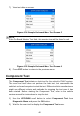
Figure 4-33 Sample On-board Mon. Test Screen 2
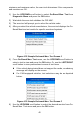
6) Use the UP/DOWN scroll button to select the desired monitor from On-
Board Mon. Test menu and press the OK button.