
User Manual V2.0
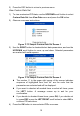
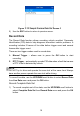
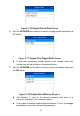
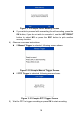
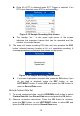
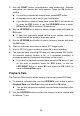
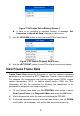

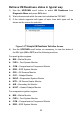
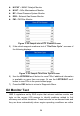
Table Of Contents
- Safety Information
- Safety Messages
- Safety Instructions
- 1 Using This Manual
- 2 Using the Scan Tool
- 3 OBD II Diagnostics
- 4 ABS
- 5 SRS
- 6 DTC Lookup
- 7 Playback Data
- 8 System Setup
- 9 Compliance Information
- 10 Warranty and Service

18
Figure 3- 19 Sample Select Memory Screen
If you wish to proceed with overwriting the old recording, press the
OK button; if you do not wish to overwrite it, use the LEFT/RIGHT
button to select NO or press the ESC button to pick another
memory location.
4) Observe on-screen instructions.
If Manual Trigger is selected, following screen shows:
Figure 3- 20 Sample Manual Trigger Screen
If DTC Trigger is selected, following screen shows:
Figure 3- 21 Sample DTC Trigger Screen
5) Wait for DTC to trigger recording or press OK to start recording.