
User Manual V2.0
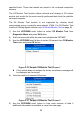
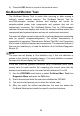
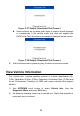
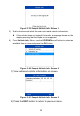
Table Of Contents
- Safety Information
- Safety Messages
- Safety Instructions
- 1 Using This Manual
- 2 Using the Scan Tool
- 3 OBD II Diagnostics
- 4 ABS
- 5 SRS
- 6 DTC Lookup
- 7 Playback Data
- 8 System Setup
- 9 Compliance Information
- 10 Warranty and Service

25
specified limits. These test results are saved in the on-board computer's
memory.
The O2 Monitor Test function allows retrieval and viewing of O2 sensor
monitor test results for the most recently performed tests from the vehicle's
on-board computer.
The O2 Monitor Test function is not supported by vehicles which
communicate using a controller area network (CAN). For O2 Monitor Test
results of CAN-equipped vehicles, see On-Board Monitor Test on page 26.
1) Use the UP/DOWN scroll button to select O2 Monitor Test from
Diagnostic Menu and press OK button.
2) Wait a few seconds while the scan tool validates the PID MAP.
3) Use the UP/DOWN scroll button to select O2 sensor from O2 Monitor
Test menu and press OK button.
Figure 3- 30 Sample O2 Monitor Test Screen 1
If the vehicle does not support the mode, an advisory message will
be displayed on the screen.
4) View test results of selected O2 sensor.
Figure 3- 31 Sample O2 Monitor Test Screen 2
5) Use the UP/DOWN scroll button to view more screens of data if
additional information is available in more than one page.