
User`s manual


E-26
Regular Operation
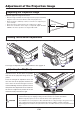
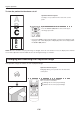
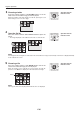
To view the portion that has been cut off
OperationwiththeProjector
Scrolling is not possible from the main unit’s control
panel.
OperationwiththeRemoteControl
PresstheSCROLL(▲▼)buttonsandscrolltheprojec-
tion image up or down.
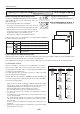
• PressingtheZOOM(–)buttonpermitsdisplayofalargeportionwithintheread-
ing range of the vertical display. The undisplayed portion can be displayed with
theSCROLL(▲▼)buttons.
A
B
C
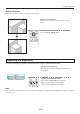
Enlarging and Reducing the Projection Image
This operation enlarges or reduces the size of projected image.
OperationwiththeProjector
Enlarging/reducingisnotpossiblefromthemainunit’s
control panel.
OperationwiththeRemoteControl
Press one of the zoom buttons.
(+):Enlargethesizeoftheprojectedimage
(–):Reducethesizeoftheprojectedimage
(+):投写画面を拡大します。
(−):拡大した投写画面を縮小します。
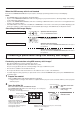
NOTE:When the orientation of the projection image is changed, even if the zoom function is in use, the display of the switched
screen will be adjusted to match the width, the same as with regular changes of orientation.