
User`s manual


E-30
F-2 F-3 F-4
F-5 F-6 F-7
F-1
12
34
56
78
9
10
11 12
13 14
15 16
3
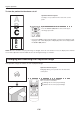
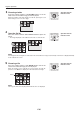
Choosingafolder
Press the remote control’s scroll ▲▼◀▶ buttons to set the
folder cursor to the folder image you want to project.
When the number of the folder images exceeds 16, pressing the scroll
button changes over to the other page.
Operationwiththe
RemoteControl
F
-2
F
-3
F
-4
F
-5
F
-6
F
-7
F
-1
4
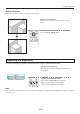
Openthelelist
Pressthe remotecontrol’s SET/POINTER button to open the
le list.
• Theimagedisplayedonthefolderlististherstoneinthelelist.
Operationwiththe
RemoteControl
Regular Operation
NOTE:
The image that was changed over and saved in the vertical direction is projected vertically even when it is displayed laterally
in the reduced-size screen.
5
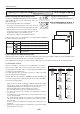
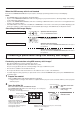
Choosingale
Press the remote control’s scroll ▲▼◀▶ button and set the
cursor to the reduced image you want to project.
When the number of the reduced size screen images exceeds 16,
press the scroll
▼
button to display the 17th reduced screen image.
12
34
56
78
9
10
11 12
13 14
15 16
Cursor
Operationwiththe
RemoteControl
NOTE:
The image le that cannot be played back with the unit is not displayed.