
Operating Instructions and Installation Instructions



FRITZ!Box 3370 4
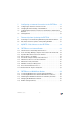
12 The FRITZ!Box Home Network. . . . . . . . . . . . . . . . . . . . . . 68
13 Network Devices in the FRITZ!Box Home Network. . . . . . 70
13.1 Network Settings in the FRITZ!Box. . . . . . . . . . . . . . . . . . . . . . . . . . . . 70
13.2 Obtaining an IP Address Automatically. . . . . . . . . . . . . . . . . . . . . . . . 78
14 USB Devices in the FRITZ!Box Home Network . . . . . . . . . 81
14.1 Power Supply for USB Devices. . . . . . . . . . . . . . . . . . . . . . . . . . . . . . . 81
14.2 USB Devices on the FRITZ!Box . . . . . . . . . . . . . . . . . . . . . . . . . . . . . . . 81
14.3 Using USB Devices Safely . . . . . . . . . . . . . . . . . . . . . . . . . . . . . . . . . . 82
14.4 Configuring Password Protection and Access Rights . . . . . . . . . . . . . 82
14.5 Accessing USB Memory . . . . . . . . . . . . . . . . . . . . . . . . . . . . . . . . . . . . 83
14.6 Sharing a USB Printer. . . . . . . . . . . . . . . . . . . . . . . . . . . . . . . . . . . . . . 84
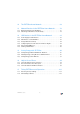
15 Saving Energy with FRITZ!Box. . . . . . . . . . . . . . . . . . . . . . 90
15.1 Saving Energy with the WLAN Radio Network. . . . . . . . . . . . . . . . . . . 90
15.2 Enabling Energy-saving Mode for USB Hard Drives . . . . . . . . . . . . . . 90
15.3 Saving Energy at the LAN Ports . . . . . . . . . . . . . . . . . . . . . . . . . . . . . . 91
16 Help in Case of Errors . . . . . . . . . . . . . . . . . . . . . . . . . . . . 92
16.1 Cannot Establish a DSL Connection . . . . . . . . . . . . . . . . . . . . . . . . . . 92
16.2 The User Interface Does Not Open. . . . . . . . . . . . . . . . . . . . . . . . . . . . 93
16.3 Cannot Establish a WLAN Connection . . . . . . . . . . . . . . . . . . . . . . . . . 98
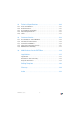
17 Taking FRITZ!Box out of Operation . . . . . . . . . . . . . . . . . 103
17.1 Restoring Factory Settings . . . . . . . . . . . . . . . . . . . . . . . . . . . . . . . . . 103
17.2 Uninstalling Software. . . . . . . . . . . . . . . . . . . . . . . . . . . . . . . . . . . . . 104