
Operating Instructions and Installation Instructions

Obtaining an IP Address Automatically
FRITZ!Box 3370 79
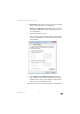
3. Windows XP: Under “This connection uses the following
items”, select “Internet Protocol (TCP/IP)”.
Windows 7 and Windows Vista: Under “This connection
uses the following items”, select “Internet Protocol Ver-
sion 4 (TCP/IPv4)”.
4. Click the “Properties” button.
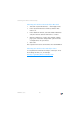
5. On the “General” tab, enable the options “Obtain an IP
address automatically” and “Obtain DNS server address
automatically”.
6. Click “OK” to save the settings.
7. Only in Windows 7 and Windows Vista: Enable the op-
tions “Obtain an IPv6 address automatically” and “Ob-
tain DNS server address automatically” for the Internet
Protocol Version 6 (TCP/IPv6) as well.
The computer now receives an IP address from the FRITZ!Box.