
EmergeTM ECMS2000U Digital Workstation Extender Installer/User Guide


Table Of Contents
- Avocent EmergeTM ECMS2000U Digital Workstation Extender
- List of Figures
- List of Tables
- Product Overview
- Installation
- Operations
- Overview
- Accessing the System
- The Serial Menu
- Configuring Network Settings
- Detecting a Transmitter IP Address
- Authentication
- Flash Upgrading your Emerge Digital Workstation Extender
- Restoring Factory Default Settings
- Resetting the Avocent Emerge ECMS2000U Extender
- Viewing System Information
- Configuring Video Input Settings
- Session Retry Settings
- Audio Performance Settings
- Appendices
1
Product Overview
Features and Benefits
The Avocent Emerge
TM
ECMS2000U Extender provides users with a full computer desktop
experience from anywhere on the corporate TCP/IP network, while maintaining the computers
securely housed in a corporate data center. This desktop experience includes access for the desktop
user to keyboard, mouse, video and audio devices.
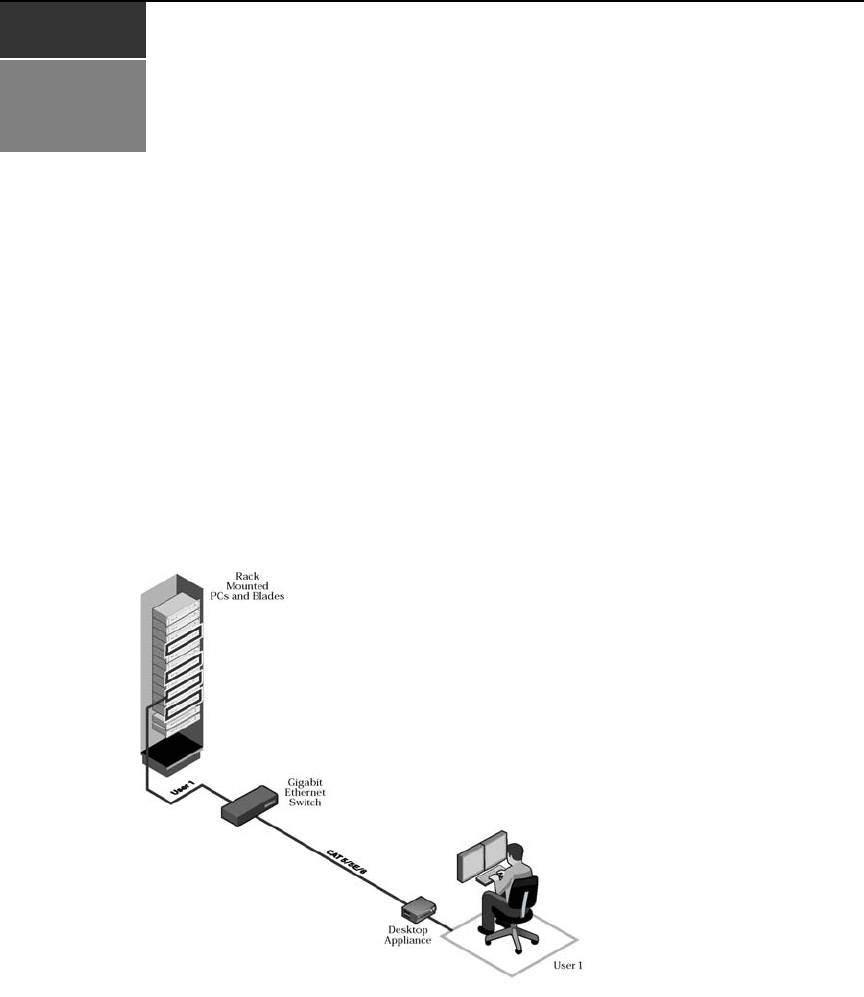
The Avocent Emerge ECMS2000U Extender consists of:
• The Computer Access Node that connects externally to the remote computer
• The User Access Node that is located at the user’s desk
Figure 1.1: Avocent Emerge ECMS2000U Extender - Basic System
CHAPTER
1