
EmergeTM ECMS2000U Digital Workstation Extender Installer/User Guide


Table Of Contents
- Avocent EmergeTM ECMS2000U Digital Workstation Extender
- List of Figures
- List of Tables
- Product Overview
- Installation
- Operations
- Overview
- Accessing the System
- The Serial Menu
- Configuring Network Settings
- Detecting a Transmitter IP Address
- Authentication
- Flash Upgrading your Emerge Digital Workstation Extender
- Restoring Factory Default Settings
- Resetting the Avocent Emerge ECMS2000U Extender
- Viewing System Information
- Configuring Video Input Settings
- Session Retry Settings
- Audio Performance Settings
- Appendices
8 Avocent Emerge ECMS2000U Extender Installer/User Guide
.
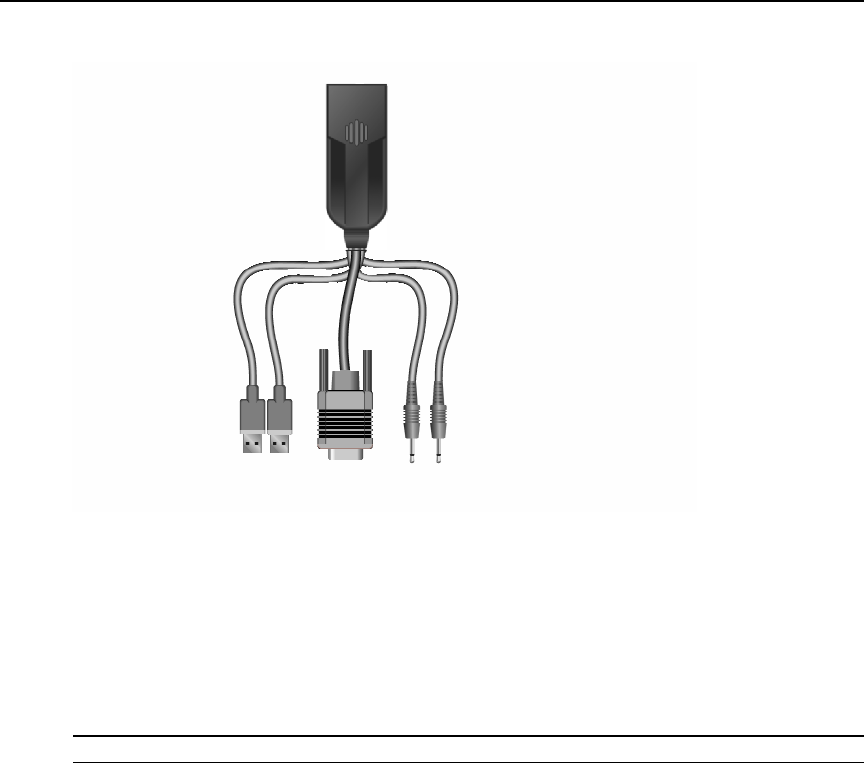
Figure 2.2: Computer Access Node
To connect the User Access Node:
1. Connect your keyboard, monitor, mouse and other peripherals cables to the appropriately
labeled ports on the back of the User Access Node.
2. Connect the UTP cable to the RJ-45 port on the back of the User Access Node.
3. Power up the User Access Node. A connection will be automatically established with the
remote computer.
NOTE: VGA monitors can be connected to the User Access Node by using a DVI-I to VGA adaptor.
Video
USB
Mic
Line out