
EmergeTM ECMS2000U Digital Workstation Extender Installer/User Guide


Table Of Contents
- Avocent EmergeTM ECMS2000U Digital Workstation Extender
- List of Figures
- List of Tables
- Product Overview
- Installation
- Operations
- Overview
- Accessing the System
- The Serial Menu
- Configuring Network Settings
- Detecting a Transmitter IP Address
- Authentication
- Flash Upgrading your Emerge Digital Workstation Extender
- Restoring Factory Default Settings
- Resetting the Avocent Emerge ECMS2000U Extender
- Viewing System Information
- Configuring Video Input Settings
- Session Retry Settings
- Audio Performance Settings
- Appendices
Chapter 3: Operations 25
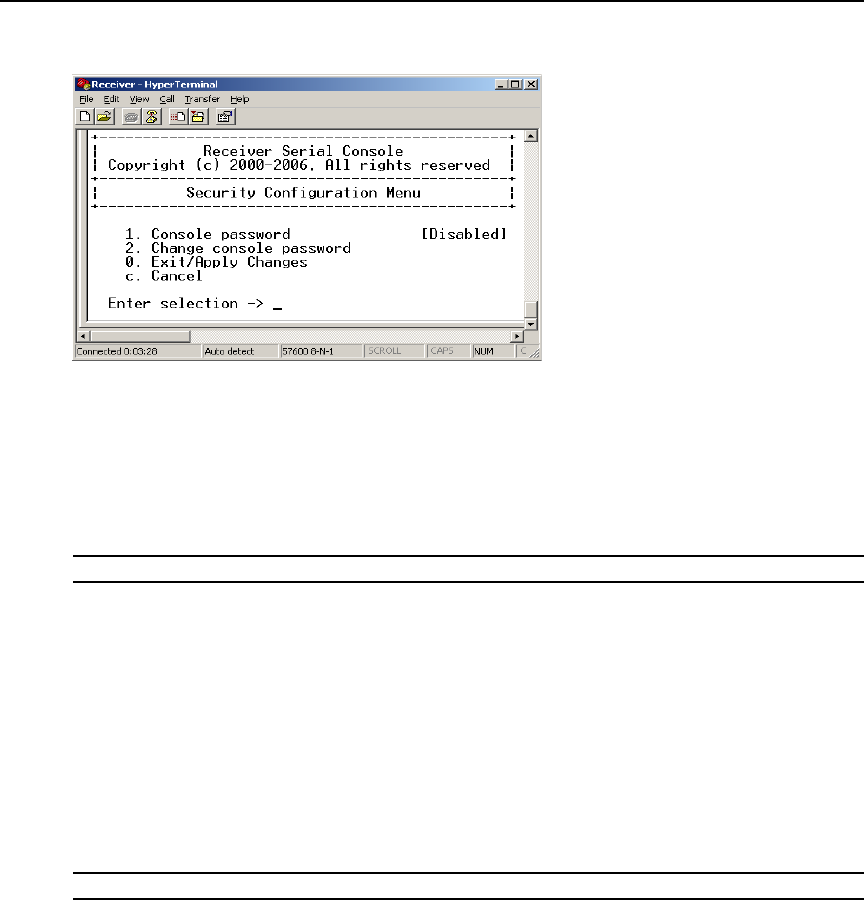
4. Choose Security Configuration. The Security Configuration Menu will appear.
Figure 3.15: The Receiver Security Configuration Menu
To disable or enable the Receiver password:
1. Choose Console Password on the Security Configuration Menu and press Enter. If a password
had been enabled, this action will disable the password.
2. If a password had been disabled, you will be prompted to enter a password.
3. Type the new password and press Enter.
NOTE: Each password must consist of ASCII characters and contain between 6 and 64 characters.
4. Confirm the new password. If successful, you will see a message stating that the password has
been changed.
5. Press Enter.
6. To save your changes and exit the menu, type 0 (zero) and press Enter.
To change the Receiver password:
1. Choose Change Console Password on the Security Configuration Menu. You will be prompted
to enter your current password.
2. Type your current password and press Enter. You will be prompted to enter the new password.
3. Type the new password and press Enter.
NOTE: Each password must consist of ASCII characters and contain between 6 and 64 characters.
4. Confirm the new password. If successful, you will see a message stating that the password has
been changed.
5. Press Enter.
6. To save your changes and exit the menu, type 0 (zero) and press Enter.