
Technical data

TFCB24F3XYZ1
Specification & Installation Instructions
8
Step Display Description Values
42
C
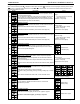
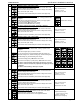
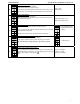
Heating set point during no occupancy:
Display shows
“no occ heating setpnt” and the value of the heating set
point temperature during no occupancy period. Moon
and heating
symbols are also displayed.
Please select the heating set point temperature during no occupancy.
The maximum value is restricted by the no occupancy cooling set point.
(step # 43)
Range: 10.0 to 40.0ºC [50 to 104ºF]
Increment: 0.5ºC [1ºF]
Default value: 16.0ºC [61ºF]
43
C
Cooling set point during no occupancy:
Display shows
“no occ cooling setpnt” and the value of the cooling set
point temperature during no occupancy period. Moon
and cooling
symbols are also displayed.
Please select the cooling set point temperature during no occupancy.
The minimum value is restricted by the no occupancy heating set point.
(step # 42)
Range: 10.0 to 40.0ºC [50 to 104ºF]
Increment: 0.5ºC [1ºF]
Default value: 28.0ºC [82ºF]
44
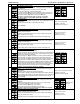
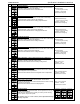
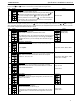
Enable or disable anti-freeze protection:
Display shows
“enable anti freeze protect”.
You can enable or disable the Anti-freeze function.
When enabled, if temperature drop to 4ºC [39ºF], heat and reheat will
start even if thermostat is in OFF mode.
Heat and reheat will stop when temperature reach 5ºC [41ºF].
Default value:
Disable (NO)
45
Auto bauds rate:
Display scrolls “auto BAUDS RATE”.
You can enable or disable the Auto Bauds Rate function.
If you enable this function, the controller automatically configures its baud
rate by detecting the network speed upon connection (go to Step 46). If
you disable this function, you must manually select the baud rate (go to
Step 47).
Default value: Enable (YES)
46
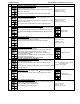
Auto bauds, current baud:
Display scrolls “auto comport BAUDS RATE” and the detected baud rate.
Go to step #48.
Range: 9600, 19200, 38400, 76800
47
Communication bauds rate:
Display shows
“adjust comport bauds rate” and the value of the baud
rate in kBps. Select the desired baud rate for communication.
Range: 9600, 19200, 38400 & 76800
Default value: 9.6 kBps
48
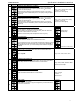
Communication MS
/
TP MAC address:
Display shows “adjust MSTP Mac address”.
Select the desired MS/TP MAC for communication.
Range: 0 to 254
Increment: 1
Default value: 1
49
Copy config:
Display shows
“copy config”.
Select “YES” if you want to copy the configuration you did to this device
to others on the network.