
User guide

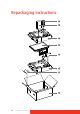



Table Of Contents
- Welcome!
- Table of contents
- What's in the box
- Parts, controls and connectors
- Display installation
- Daily operation
- Advanced operation
- OSD menu position
- OSD menu language
- OSD menu automatic close function
- Power status indicator light
- Key indicator lights
- Power lock function
- Keys sound
- Ethernet over USB
- DDC HID Device
- DPMS mode
- Hibernate
- Luminance target
- Color presets
- Color temperature
- Color coordinates
- Viewing modes
- Display functions
- Ambient Light Compensation (ALC)
- Reading rooms
- Continuous ALC
- Image scaling
- Image source selection modes
- Video input signals
- Video encoding modes
- Grayscale conversion modes
- EDID timings
- Display info
- Display status
- Cleaning your display
- Repackaging instructions
- Important information
52 Coronis Fusion 6MP
Cleaning your display
Front glass
Clean the front glass using a sponge, cleaning cloth or soft tissue, lightly
moistened with one of the following tested products:
In case none of the above cleaning products is available, use plain water.
• Flux • Pril
• Windex Glass Plus • Ajax glass cleaner
• Bohle glass cleaner • Sidolin glass cleaner
• Mr. Proper • 25% ethanol solution (EtOH)
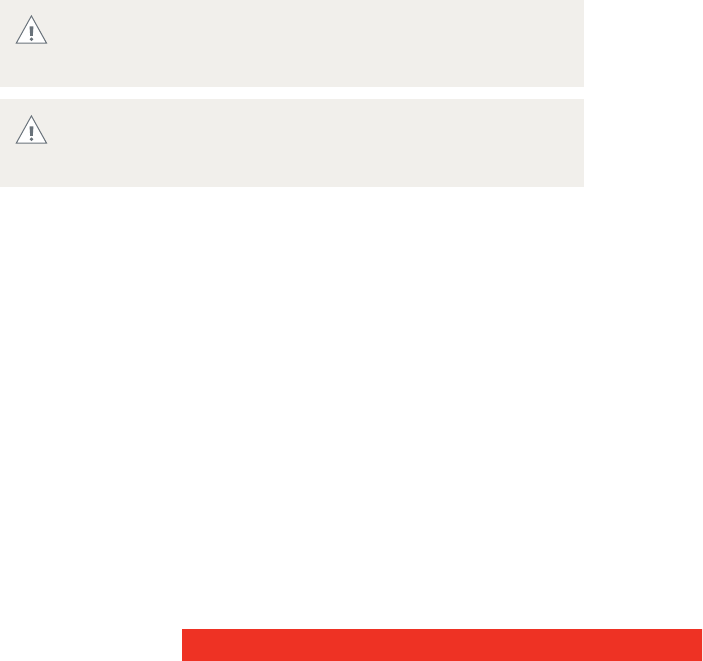
Take care not to damage or scratch the front glass. Be careful
with rings or other jewelry and do not apply excessive pressure
on the front glass.
Do not apply or spray liquid directly to the front glass as excess
liquid may cause damage to internal electronics. Instead, apply
the liquid to the cleaning cloth.