
User's Manual






-10-
BCL-862S User’s Manual (preliminary)
Calls
Placing a Call
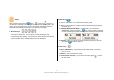
There are three ways to call to the phone number set in a shortcut key. If no
phone number is stored in the key, a beep sound is heard with the initial
screen displayed.
1. Place a call by pressing one of the five keys (1~5) long.
2. Press a key shortly to confirm the phone number (or nickname) stored in
that key, and press to place a call to it.
3. If a shortcut key is set by the external services (Internet, WAP, or ARS),
when the phone number is displayed on the screen, press to place a
call to it.