
User's Manual




-13-
BCL-862S User’s Manual (preliminary)
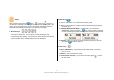
If your phone receives a message during a call, only the icon is displayed on
top with a bell sound.
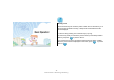
3. While a Popup Screen Being Displayed
If the phone receives a message in Wait mode while a popup screen being
displayed (during shortcut key setting or receiving, or volume adjusting using
Side key), details correspond to Wait mode.
In other words, the popup screen changes to the message one with a bell
sound (or vibration). At this time, if any key is pressed, it returns to Wait
mode with the icon on top.
Shortcut Key Setting Popup
If the Phone Receives a Message
Message Receive Popup