
User's Manual





-5-
BCL-862S User’s Manual (preliminary)
L LCD Screen
LCD Screen
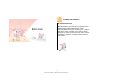
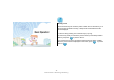
The LCD screen is largely divided into the
upper icon part and the lower text part as
shown in the right image.
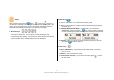
In the icon part, the current state of your phone is displayed including
receive sensitivity, Busy/Idle state, Bell/Vibration mode, unchecked message,
Auto Keylock mode, and battery level. In the text part, various items are
displayed including an animation if necessary.