
User's Manual Part 1



Getting to Know Your Phone 11
Standby Screen
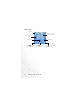
External Display
The external display's status bar will show icons for network signal
strength, battery power, alarm (if active), etc. The current time and
animations will appear in sequence. The external display also alerts you
to incoming calls, messages, and missed calls.
• If you wish to set the time shown on the external display, go to the
menu Settings > Date & Time > Time. See page 119.
• In the default setting, the external display will show the time and
several animations in sequence for one cycle. The external display
will then temporarily power off. After it has powered off, you can turn
it back on by pressing either the up or down arrow on the volume
key located on the left side of the phone.
• You can set the external display's cycling mode by using the menu
Settings> Display > OLED Duration. See page 123.
• You can choose the animations to be shown on the external display
by using the menu: Settings> Display > OLED Animation
Setting. See page 124.
• You can press from the standby screen to enter the Profiles
menu, and then change the Personal profile's name to your own
user name. When this profile is activated and the phone's flip is
opened, your own name will appear on the external display. For
details, see page 50.