
User's Manual Part 2


100 Menus
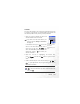
3. Lastly, you must press to save all your current Alarm Clock
settings. After completing Alarm Clock settings, will appear in
the external display's status bar; will appear in the main display's
status bar.
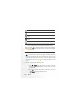
Time Duration
Allows you to set the length of the alarm. Press (E
E
dit) to select the
desired alarm duration and then press .
When the alarm rings, there are two ways to turn it off:
• Press (Snooze) to stop the alarm. The alarm will ring again
five minutes later.
• Press to turn off the alarm. The alarm will not ring until the next
scheduled time.