
User's Manual Part 2


104 Menus
Note
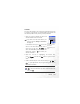
You can use this feature to create a list of notes.
1. Press (O
O
ption) and select A
A
dd to bring up the editor screen.
Enter the desired text and press .
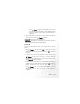
2. A message on the screen will ask whether you wish to add a password
for this note. If you press (Y
Y
es), you will from then on need to
enter the phone code in order to view the contents of the note. Press
(N
N
o) to save the note without adding a password.
The default phone password is 1234. To change the password, go
to the menu Settings > Security > Phone Lock. See page 131.
Shortcuts
For a description of the features accessible through the Shortcuts menu,
see page 52, "Shortcuts Menu".
Voic e Me mo
For a description of the features accessible through the Voice Memo
menu, see page 82, "Voice Memo".