
User's Manual Part 2



The WebCam Function 137
2. Plug the WebCam cable's bigger connector into a USB port and the
smaller one into the WebCam cable jack on the left side of the phone
(the phone must be turned on with the SIM card inserted).
The WebCam cable used to perform the WebCam function is
different from the data cable designed for the PC Sync and Modem
functions.
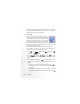
3. The WatchDog indicator will turn into when WatchDog detects
the connection between your phone and the computer.
4. Start the communications tool (e.g. MSN Messenger, Yahoo!
Messenger) on the computer, and now you can use your phone as a
Web Ca m.
WebCam Cable