
User's Manual Part 2



138 The WebCam Function
When using the WebCam function, you are allowed to answer and
make calls and receive and send messages. The WebCam
connection will not be stopped.
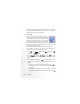
When using the WebCam function, if you press or enter the
menu: Camera > Camera, the phone will ask you whether to stop the
WebCam connection and start the camera mode. If you select Yes,
the phone will stop the WebCam connection and enter the camera
mode; if you select No, the phone will continue to work as a WebCam,
and you are not allowed to use the phone's camera.
If the WebCam cable still connects the phone and the computer after
you exit from the camera mode, the WebCam connection will resume
automatically.