
User manual


Playback mode 47
English
Adjusting the playback volume
Increases or decreases the volume of a video clip, audio clip, or voice memo
during playback.
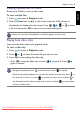
To adjust the playback volume:
1. Press to switch to Playback mode.
2. Press or to select a video clip, audio clip, or voice memo that you want
to play.
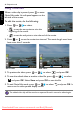
3. Start the file playback and adjust the volume.
• To increase the volume, slide the
Zoom lever to .
• To decrease the volume, slide the
Zoom lever to .
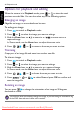
Deleting files
Deletes selected or all files.
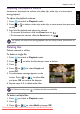
To delete a single file:
1. Press to switch to Playback mode.
2. Press or to select the file that you want to delete.
3. Press .
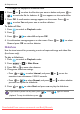
4. Press or to select
Single and
press .
5. A confirmation message appears on the
screen. Press or to select
Yes
and press to confirm file deletion.
6. Repeat steps 2~5 to delete other files.
To delete multiple files:
1. Press to switch to Playback mode.
2. Press .
3. Press or to select
Multi and press .
The volume can only be set during playback, but not during rewind, fast forward, or
pause.
In Capture mode, press
to delete that last recorded file.
OK
OK
OK
Downloaded From camera-usermanual.com BenQ Manuals