
User's Manual
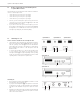

Table Of Contents
- Contents
- 1. Safety Instructions
- 2. Quinta CU Control Unit
- 3. Quinta MU Microphone Units
- 4. Programmable Functions of the Microphone Units with the Quinta Conference Software
- 5. Quinta CD 2 Charger in the Quinta CC 2 | CC 2 / 600 Case and Quinta CD 3 in the Quinta CC 3 Case
- 6. Battery Charging with External Mains Power Adapter
- 7. Trouble Shooting
- 8. Components
- 9. Accessories
- 10. Technical Specifications
- EC-DECLARATIONOF CONFORMITY
- FCC Regulation

Quinta – Microphone Units
16
4.3 Request-to-Talk Mode
• This operating mode is only possible in conjunction with a PC
using the Quinta Conference software or a media control
system (AMX
®
, Crestron
®
, Cue etc.).
• The request-to-talk is registered in the system by pressing the
microphone button of the microphone unit.
• The allocation is made by the operator at the PC or touch screen
of the media control system.
• The microphone button is illuminated red to indicate the
request-to-talk.
• If you press the microphone button again, the request-to-
talk is cleared. The backlit microphone button will illuminate
white.
Quinta MU 22 Double Delegate Microphone Unit
Quinta MU 21 Delegate Microphone Unit
Quinta MU 31 Delegate Microphone Unit