
Operation Manual


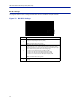

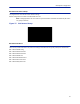
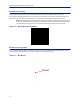
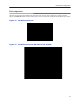
Table Of Contents
- Safety Precautions
- About This Manual
- Table of Contents
- Chapter 1 Introduction
- Chapter 2 System Description
- Chapter 3 Installation guidelines
- Chapter 4 DAS Software Configuration
- Chapter 5 Commissioning
- Chapter 6 RF Commissioning
- Chapter 7 Troubleshooting
- Alarms
- Base Station Gateway (BGW) Alarms
- Fiber Optic Remote (FOR) Alarms
- Remote Unit (RU) Alarms
- Fiber optic Interface (FOI) Alarms
- Base Station Interface (BIU) Alarms
- Medium Power Amplifier (PA) Alarms
- Variable Gain Amplifier (VGA) Alarms
- Analog Pre-distortion (APD) Amplifier Alarms
- Multi-carrier Power Amplifier Interface (MPI) alarms
- Alarms
- Chapter 8 Model Identification

Fiber Distributed Antenna System (Fiber DAS)
77
BIU Application Handling
The application handling page allows for stopping software functions and rebooting software programs.
Alarm Handler: Selecting Reboot (circular icon) will clear all the alarms in the history for the card selected. This is
helpful after turning a system up and wanting to clear alarm log created during the installation and turn up.
Note: Only the Reboot command should be used by the technician. All other functions should only be
used under supervision of Bird engineering as the
y may cause data corruption if not initiated properly.
The radio button will stop a process and can have negative affects on the function of the DAS.
Figure 76 BIU Application Handling
BIU Reset to Factory Default
To reset the BIU to factory default, carefully press the “Reset” button [located below the UL In 1 QMA connector]
for 10 seconds. This is helpful when a card fails to appear in the Configuration menu.
Figure 77 BIU Reset
Reset