
User manual

35
www.bkprecision.com
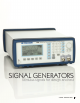
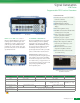
25 MHz & 50 MHz
Arbitrary Waveform/ Function Generators
Signal Generators
C
H2 added
M
odel 4079 only
Models 4076
& 4079
GPIB & RS-232
interface
10 MHz external
reference
Flexible Interface
■ The back panel has a 10 MHz reference
signal input/output. This allows you to
synchronize multiple generators to another
generator or to a lab standard signal.
Precisely adjust the output signal's phase
with respect to this reference signal
■ Marker pulses (50 Ω TTL output) can
be output at any point on an arbitrary
waveform for user-defined durations. This
lets you synchronize other equipment with
your arbitrary waveforms. Trigger other
generators phase-locked to the main
generator to generate multiple waves
with precise timing and phase
relationships, or use the marker pulse
to trigger a scope to let you view a
system's response at a precise point
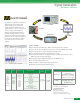
■ Create, edit and upload complex
waveforms with WaveXpress
T
M
software
Intuitive User Interface
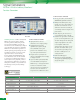
■ Back-lit LCD panel packs a wealth of
information into a small space and can
be easily read in a dark environment
■ Intuitive layout of panel and screen
menus
■ Make parameter adjustments with an
analog-style knob -- or enter numbers
directly using the keypad. Enter
frequency or period, whichever is more
convenient. Use Vpp, Vrms, or dBm for
amplitude (4076/4079). Left-right arrow
keys let you choose which digit to
adjust with the knob
Features & Benefits
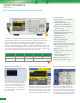
■ Both channels offer full functionality.
All waveform parameters such as
frequency, amplitude, and offset can be
set independently
■ Synchronize both output signals to the
same clock signal (external or internal)
and precisely adjust the phase
relationship between the two signals
■ Economical baseband I/Q signal source
■ Saves costs and bench space
Dual Channel Models (4078 & 4079)
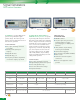
Model 4079 (rear view)
This feature of our 407x series
allows users to generate a posi-
tive TTL level output signal at a
specified point in an arbitrary
waveform. Useful for applications
requiring signal synchronization.
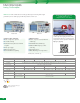
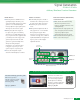
http://goo.gl/LybTV
Scan QR code
to view video
How to use marker function for triggering and synchronizing signals
http://goo.gl/Q4YoA
Function & arbitrary generator guide
DDS function generator
principle of operation, wealth
of usage examples and tips,
FAQs and glossary.