
Specifications

724-746-5500 | blackbox.com
Chapter 4: Operation
Page 13
4. Operation
NOTE: In this chapter, the Video to VGA Portable is referred to as the main unit, and
the remote control unit is called the remote control.
Once you’ve installed the Video to VGA Portable (see Section 3-2), you can control
it either via buttons on the main unit itself or by using buttons on the remote
control to switch input sources and adjust picture quality. The main unit and the
remote control have some user-control buttons in common: Power, Menu, Enter,
Up/Down (for the Video to VGA Portable unit itself), or p, q, t, u (for the
remote control).
The main unit also has buttons for Source, and the remote control also has buttons
for Reset, Exit, Resolution, PC, Y.PbPr, Video, S-Video, Menu, Enter, Volume, Mode,
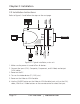
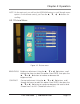
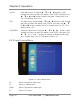
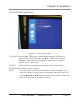
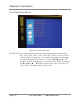
Move, Source, and Audio. Main unit buttons (shown in Figure 3-1) are described in
Section 3.1. Remote control buttons (shown in Figure 4-1) are described in Section
4.1. Menu options for both main and remote units are explained in Section 4.2.
4.1 Using the Remote Control
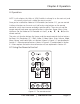
Figure 4-1. The remote control.