
Specifications

724-746-5500 | blackbox.com
Chapter 4: Operation
Page 17
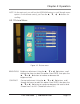
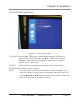
4.2.3 OSD Settings Menu
Figure 4-4. OSD settings menu.
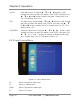
LANGUAGE: Using the p q buttons, scroll through the menu to select this
option. Press ENTER, then press the p or q button to select a
language. Choose from six languages: English, French, German,
Spanish, Italian, and Dutch.
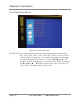
VISBILITY: Select the alpha-transparency setting for the OSD and overlay.
INFORMATION: Displays version number.
RESET: Press this button on the remote control to select this option. Or, to
select this option via menu keys on the remote control or main unit,
use the t and u or p q button to scroll to this option on the menu.
Press ENTER to reset to the default setting.