
Technical data

Fabric OS v6.1.0_del1 Release Notes, v1.0 Page 5 of 13
Technical Support
Contact your switch supplier for hardware, firmware, and software support, including product repairs and
part ordering. To expedite your call, have the following information immediately available:
1. General Information
• Technical Support contract number, if applicable
• Switch model
• Switch operating system version
• Error numbers and messages received
• supportSave command output
• Detailed description of the problem, including the switch or fabric behavior immediately
following the problem, and specific questions
• Description of any troubleshooting steps already performed and the results
• Serial console and Telnet session logs
• Syslog message logs
2. Switch Serial Number
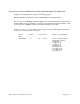
The switch serial number and corresponding bar code are provided on the serial number label, as
shown here.
FT00X0054E9
FT00X0054E9
The serial number label for the Brocade M5424 is located on the right side of the module.
3. World Wide Name (WWN)
Use the wwn command to display the switch WWN.
If you cannot use the wwn command because the switch is inoperable, you can visually
get the WWN from the same location as the serial number.
Important Notes
This section contains information that you should consider before you use this firmware
release.
Fabric OS Compatibility
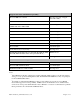
The following table lists the earliest versions of Brocade software supported in this release, that
is, the earliest supported software versions that interoperate. Brocade recommends using the
latest software versions to get the greatest benefit from the SAN.
For a list of the effective end-of-life dates for all versions of Fabric OS, visit the following
Brocade Web site:
http://www.brocade.com/support/end_of_life.jsp