
User Manual v12.3.0 Owner manual



1040 Brocade Network Advisor SAN + IP User Manual
53-1003155-01
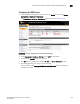
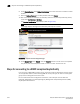
Steps for connecting to a KMIP-compliant SafeNet KeySecure
25
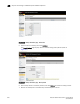
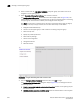
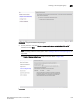
FIGURE 416 Backup and Restore page - Device items
5. Select the items for backup, then click Continue.
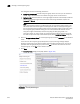
The Create Backup page displays, which is used for setting backup details. (Refer to
Figure 417.)
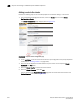
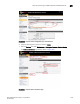
FIGURE 417 Backup and Restore page - Backup details
6. Enter backup details in the fields provided, then click Backup to initiate the backup process.
7. Restore this backup file on the Secondary clustered KeySecure server.