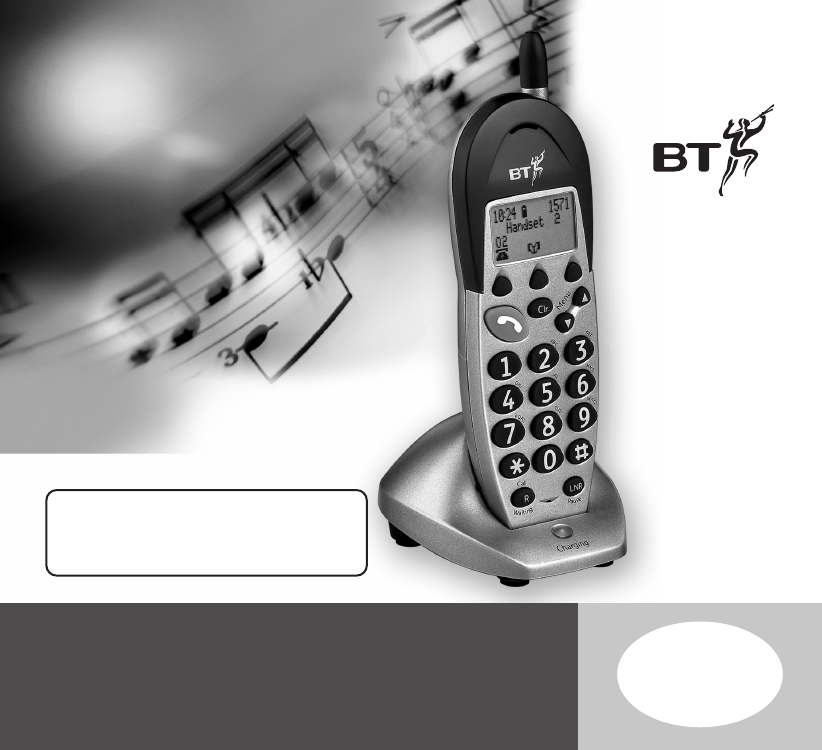
Quartet 3000 user guide ~ 3rd Edition ~ 3rd September ’02 ~ 4398 This handset is only compatible with the Quartet 3100 and Quartet 3500. You will not be able to make or receive calls using additional handsets until they have been registered to the Quartet base unit. If you register to a Quartet 3500 base you can access the full answering machine features. This equipment is not designed for making emergency telephone calls when the power fails.
Quartet 3000 user guide ~ 3rd Edition ~ 3rd September ’02 ~ 4398 Please open this page for an ‘at a glance’ guide to your Quartet 3000
Quartet 3000 user guide ~ 3rd Edition ~ 3rd September ’02 ~ 4398 At a glance Handset fascia Aerial Should be extended to obtain the best signal and reception available. Option buttons Lets you select options within each menu that are shown on the display. Clear button Use to delete unwanted digits or characters and to exit the menu. Talk button Press to make or receive a call. Up and Down buttons Recall/Call Waiting button Use to scroll up and down through the menu options.
Quartet 3000 user guide ~ 3rd Edition ~ 3rd September ’02 ~ 4398 Safety information General Only use the power supply unit included with the product. Using an unauthorised power supply will invalidate your guarantee and may damage the telephone. The item code for the power supply unit is 003313, as stated on the underside of the charger. Cleaning Simply clean the handset and charger with a damp (not wet) cloth, or an anti-static wipe. Never use household polish as this will damage the product.
Quartet 3000 user guide ~ 3rd Edition ~ 3rd September ’02 ~ 4398 Setting up Follow these steps to get your Quartet 3000 handset and charger ready for use. Unpacking your Quartet 3000 Check that your Quartet 3000 is complete. If anything is missing, please contact your place of purchase immediately. Quartet 3000 handset You must charge your handset for 24 hours before use.
Quartet 3000 user guide ~ 3rd Edition ~ 3rd September ’02 ~ 4398 2 Connect the power supply into a power socket and switch on Note (cont) If you are making a call and the handset battery is running low you will hear a warning tone every 10-15 seconds. Place the handset on the charger to recharge. 3 Place the handset on the charger Make sure the red charging light at the front of the charger comes on.
Quartet 3000 user guide ~ 3rd Edition ~ 3rd September ’02 ~ 4398 Registering your handset You must register your Quartet 3000 additional handset before it can be used with your Quartet 3100 or 3500 base unit. To register your Quartet 3000 handset Please ensure you only have the handset you wish to register ready when following the instructions below. Once charged, your additional handset will show the following screen: The display will show Press Page On Base Until Base Beeps.
Quartet 3000 user guide ~ 3rd Edition ~ 3rd September ’02 ~ 4398 To set the time Please note that you need to set the time on each individual handset that you register to your main Quartet 3100 or 3500 base unit. The time will not be set automatically unless you subscribe to a Caller Display Service. Press the UP or DOWN button until the display shows Handset Settings. OK Press the OK option button. The display will show Time Setting. OK Press the OK option button. The first digit will be flashing.
Quartet 3000 user guide ~ 3rd Edition ~ 3rd September ’02 ~ 4398 Using your Quartet 3000 handset Your Quartet 3000 can be used with the Quartet 3100 or Quartet 3500. Please refer to your main Quartet user guide for a complete list of product features and operating instructions.
Quartet 3000 user guide ~ 3rd Edition ~ 3rd September ’02 ~ 4398 Quick guide to most commonly used answering machine settings and functions if registered to the Quartet 3500 base unit Function Button combination Switch answering machine ON/OFF: Using the Quartet 3500 base Press and release or Using the handset until display shows Answer Off On, press either Off or On .
Quartet 3000 user guide ~ 3rd Edition ~ 3rd September ’02 ~ 4398 General information Guarantee Your Quartet 3000 is guaranteed for a period of 12 months from the date of purchase. Subject to the terms listed below the guarantee will provide for the repair of, or at BT’s or its agent’s discretion, the option to replace the Quartet 3000 or any component thereof, (other than batteries), which is identified as faulty or below standard, or as a result of inferior workmanship or materials.
Quartet 3000 user guide ~ 3rd Edition ~ 3rd September ’02 ~ 4398 Outside of the 12 month guarantee period: If your product needs repair after the guarantee period has ended, the repair must meet the approval requirements for connection to the telephone network. We recommend that you contact BT’s approved repair agent TecLogic on 01672 564444 or a local qualified repairer.
Quartet 3000 user guide ~ 3rd Edition ~ 3rd September ’02 ~ 4398 R&TTE This product is intended for use within the UK for connection to the public telephone network and compatible switchboards. This equipment complies with the essential requirements for the Radio Equipment and Telecommunications Terminal Equipment Directive 1999/5/EC.
Quartet 3000 user guide ~ 3rd Edition ~ 3rd September ’02 ~ 4398 Offices worldwide The telecommunications services described in this publication are subject to availability and may be modified from time to time. Services and equipment are provided subject to British Telecommunications plc’s respective standard conditions of contract. Nothing in this publication forms any part of any contract. © British Telecommunications plc 2002. Registered Office: 81 Newgate Street, London EC1A 7AJ.