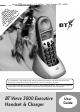
* Y SU YO D HA YO IS PRO OU BS U ND UR PLA VI R N CR MU A SE VE Y S DE ET IBE ST Q T RV ER R’S W TO UA W E O RT INF IL 30 VIC CA RK ER OR L D 00 E B LL LY M IS EX EF ER P A FE TI LA EC OR E ON Y U E IS . C TI AL VE PA LE YA R BL E. Verve 3000 user guide ~ 3.1 Edition ~ 14th October ’02 ~ 4805 This equipment is not designed for making emergency telephone calls when the power fails. Alternative arrangements should be made for access to emergency services.
Verve 3000 user guide ~ 3.
Verve 3000 user guide ~ 3.1 Edition ~ 14th October ’02 ~ 4805 At a glance Display Navigation button Handset Shows status of your handset. Used to move up and down Menu options, Directory and Calls list. ity ar Digit al Cl Menu button Directory button Press to access your Menu options. Press to access Directory. Green Phone button Red Phone button Press to end call/ return display to idle. For making and answering calls. Also to put handset into handsfree operation.
Verve 3000 user guide ~ 3.1 Edition ~ 14th October ’02 ~ 4805 Quick guide to handset display icons Indicates that the line is in use. When the icon flashes indicates that you have an incoming call or you have put an external call on hold. Indicates that you either have an incoming internal call or you are already on an internal call. You are in handsfree operation. Battery icon is displayed when the battery is low. Envelope icon indicates that there are unseen calls in the Calls list.
Verve 3000 user guide ~ 3.
Verve 3000 user guide ~ 3.
Verve 3000 user guide ~ 3.1 Edition ~ 14th October ’02 ~ 4805 Quick guide Commonly used handset functions and settings Switch OFF the handset (default is ON) hold down. Switch handset on hold down. Switch Keyguard on Menu Switch Keyguard off Unlock Make a call Redial a number Dial from the directory Dial from the Calls list ▲ then ▲ ▲ Dir dial, ▼ ▼ to scroll through the list, to display name or number you wish to to dial.
Verve 3000 user guide ~ 3.1 Edition ~ 14th October ’02 ~ 4805 In this guide Note There is a detailed Index at the back of this user guide, please see page 35.
Verve 3000 user guide ~ 3.1 Edition ~ 14th October ’02 ~ 4805 Introduction Unpacking your BT Verve 3000 Executive For your records Date of purchase: If anything is missing, please contact your place of purchase immediately. Place of purchase: One Verve 3000 Executive charger DEF ▼ 3 ABC 2 7 MN WXY Z PQRS 6 JKL 5 GHI 4 INTRODUCTION ▲ 1 O One Verve 3000 Executive handset For guarantee purposes proof of purchase is required so please keep your receipt.
Verve 3000 user guide ~ 3.1 Edition ~ 14th October ’02 ~ 4805 Safety information General Cleaning Only use the power supply included with the product. Using an unauthorised power supply will invalidate your guarantee and may damage the telephone. Simply clean the handset and charger with a damp (not wet) cloth, or an anti-static wipe. Never use household polish as this will damage the product. Never use a dry cloth as this may cause a static shock.
Verve 3000 user guide ~ 3.1 Edition ~ 14th October ’02 ~ 4805 Setting up Plan the location 2 Plug the power supply unit into the wall socket 3 Insert the batteries Situate your product close enough to the mains power socket so that the cables will reach. Make sure that it is at least 1 metre away from other electrical products to avoid interference. Do not situate the product in the bathroom or other humid areas.
Verve 3000 user guide ~ 3.1 Edition ~ 14th October ’02 ~ 4805 When the batteries are inserted the display will show: REGISTER? Menu Yes 4 Registering and charging your handset SETTING UP Yes 1 OK Press the Yes options button. Choose which base number you want to register to e.g. Press 1 to register to base station 1. Press the OK options button. SYS PIN? is displayed. Enter the PIN number of your Verve 3010 base station (factory setting is 0000). OK Press the OK options button.
Verve 3000 user guide ~ 3.1 Edition ~ 14th October ’02 ~ 4805 Battery performance Helpline Under no circumstances should non-rechargeable batteries be used. Only use NiMH rechargeable batteries with a minimum capacity of 550 mAh. Using inappropriate batteries will invalidate your guarantee and may damage the telephone. If you have any difficulties setting up or using your BT Verve 3000 Executive, please call the BT Verve Helpline on 08702 403180.
Verve 3000 user guide ~ 3.1 Edition ~ 14th October ’02 ~ 4805 Using the telephone Note USING THE TELEPHONE To exit a menu at any time press the Back options button, this will take you back one step. Press the RED PHONE button to cancel the operation completely. Making and ending calls Preparatory dialling Enter the phone number first. Clear If you make a mistake press the Clear options button to erase the last digit. Press the GREEN PHONE button to dial the number.
Verve 3000 user guide ~ 3.1 Edition ~ 14th October ’02 ~ 4805 To receive an external call When the phone rings the Power/In use light on the base will flash. Handsfree Handsfree allows you to talk to your caller without holding the handset and enables other people in the room to listen to the conversation. Your hands are left free, for example to take notes. Press the GREEN PHONE button to answer the call Or To make a handsfree call Press the GREEN PHONE button. Press the GREEN PHONE button again.
Verve 3000 user guide ~ 3.1 Edition ~ 14th October ’02 ~ 4805 ▲ ▼ Press the UP navigation button to increase the volume. The earpiece needs to be inserted gently in the ear so that it feels secure. Press the DOWN navigation button to decrease the volume. Your new volume level will be displayed. To use the headset A clip is supplied on the headset so that you can clip the headset cord onto your clothing. USING THE TELEPHONE The headset port is located on the bottom of the handset.
Verve 3000 user guide ~ 3.1 Edition ~ 14th October ’02 ~ 4805 The following instructions use the Dir button but the procedures for accessing and using the directory are similar using any of the three options. To store an entry in the directory Dir NEW ENTRY is displayed. OK ENTER NUMBER is displayed. Enter the telephone number. Save Press the OK options button. ENTER NAME is displayed. Press the Save options button. ENTRY SAVED is displayed, a confirmation tone will be heard.
Verve 3000 user guide ~ 3.1 Edition ~ 14th October ’02 ~ 4805 Character map Digit Button 1 1 SPACE & .
Verve 3000 user guide ~ 3.1 Edition ~ 14th October ’02 ~ 4805 To insert a Pause in the directory Press and hold the UP navigation button until a P appears on the display. ▲ To view a directory number entry Dir ▼ Press the Dir options button Press the DOWN navigation button to scroll through the menu until the required entry is displayed. To dial a name and number in the directory Or Dir Press the first letter of the name you are looking for.
Verve 3000 user guide ~ 3.1 Edition ~ 14th October ’02 ~ 4805 After a short time the handset will show COMPLETED before returning to the idle display. To copy a directory entry to another handset Dir ▼ Press the Dir options button. Press the DOWN navigation button to select the entry you want. Press the Option button. USING THE TELEPHONE ▼ OK Press the OK options button. The handset receiving the directory will display ACCEPT DIR? NO/YES.
Verve 3000 user guide ~ 3.1 Edition ~ 14th October ’02 ~ 4805 The handset receiving the directory will display ACCEPT DIR? NO/YES. Yes Save Press the Save options button. ENTRY SAVED is displayed on the handset and you will hear a confirmation tone. Press the Yes options button. After a short time the handset will show COMPLETED before returning to the idle display. Press the RED PHONE button to return to the idle display. To edit a directory entry To delete an entry ▼ Press the Dir options button.
Verve 3000 user guide ~ 3.1 Edition ~ 14th October ’02 ~ 4805 To delete the entire directory Dir Press the Dir options button. To dial a number in the redial list ▲ Press the Option button. ▼ USING THE TELEPHONE OK Press the DOWN navigation button until DELETE ALL is displayed. ▲ ▼ Press the OK options button. Press the OK options button to confirm. ALL DELETED is displayed and you will hear a confirmation tone. NO ENTRIES is displayed on the handset.
Verve 3000 user guide ~ 3.1 Edition ~ 14th October ’02 ~ 4805 Press the handset number you wish to call e.g. 3 and the internal call to handset three will be made. Internal calls To make internal calls Int To end the call by either party, press the RED PHONE button. The other handset involved in the call will receive a busy tone and display END OF CALL. If want to call another handset registered to the base press the Int button.
Verve 3000 user guide ~ 3.1 Edition ~ 14th October ’02 ~ 4805 Int At this point your external caller is put on hold and they will hear musical tones, you can toggle between your external caller and the internal handset by pressing the Int button. 3-way calling You are able to hold a three way conversation between an external caller and two internal callers.
Verve 3000 user guide ~ 3.1 Edition ~ 14th October ’02 ~ 4805 Handset settings You can choose a range of settings to suit your personal preferences. Handset ringer melody and volume You have a choice of 10 melodies and 5 volume levels. You can change the external ringer (ring for an external incoming call) or the internal ringer (ring for an internal call). OK ▲ ▼ Save Menu ▼ OK OK OK Press the OK options button. RINGER is displayed, press the OK options button.
Verve 3000 user guide ~ 3.1 Edition ~ 14th October ’02 ~ 4805 OK Press the OK options button. EXTERNAL is displayed. OK Press the OK options button. ▼ OK HANDSET SETTINGS ▼ Save Press the DOWN navigation button, CHANGE VOL is displayed. Press the OK options button. The current volume setting is displayed e.g. MEDIUM. Press the DOWN navigation button to scroll through the volume choices OFF, LOW, MEDIUM, HIGH, PROGRESSIVE. Press the Save options button when you want to select your volume setting.
Verve 3000 user guide ~ 3.1 Edition ~ 14th October ’02 ~ 4805 A confirmation tone is heard. Press the RED PHONE button to return to the idle display. OK Press the DOWN navigation button to scroll through the volume choices OFF, LOW, MEDIUM, HIGH, PROGRESSIVE. ▼ To change the internal ringer melody volume Press the Save options button when you want to select your volume setting. ▼ Press the DOWN navigation button until SETTINGS is displayed. Press the RED PHONE button to return to the idle display.
Verve 3000 user guide ~ 3.1 Edition ~ 14th October ’02 ~ 4805 OK ▼ OK ▲ HANDSET SETTINGS ▼ Save Press the OK options button. Press the DOWN navigation button until KEY BEEP is displayed. Press the OK options button, BEEP ON is displayed. To switch ON or OFF press the UP or DOWN navigation button until your required choice is displayed. Press the Save options button. ▼ OK ▼ OK ▼ You will hear a confirmation tone. Press the RED PHONE button to return to the idle display.
Verve 3000 user guide ~ 3.1 Edition ~ 14th October ’02 ~ 4805 To switch auto talk on or off ▲ ▼ When you receive a call, you can answer it simply by lifting the handset off the base station. This is called auto talk. When you switch auto talk off, all calls must be answered by pressing the GREEN PHONE button. Save To switch ON or OFF, press the UP or DOWN navigation button until your required selection is displayed. Press the Save options button. You will hear a confirmation tone.
Verve 3000 user guide ~ 3.1 Edition ~ 14th October ’02 ~ 4805 ▼ OK Save Press the DOWN navigation button until NAME HANDSET is displayed. Press the OK options button. ▼ OK Enter the name you want. ▲ Press the Save options button. ▼ You will hear a confirmation tone. HANDSET SETTINGS Press the RED PHONE button to return to the idle display. Save Menu ▼ OK 28 Press the OK options button. Press the UP or DOWN navigation button to scroll through the choices available.
Verve 3000 user guide ~ 3.1 Edition ~ 14th October ’02 ~ 4805 Unlock The display will show KEYGUARD ON. The settings after a reset will be: To switch the keyguard off: External ringer melody: 1 External ringer volume: MEDIUM Internal ringer melody: 1 Internal ringer volume: MEDIUM Press the Unlock options button. Press the ✱ button. KEYGUARD OFF is temporarily displayed before returning to the idle screen. You can restore a handset to its default settings.
Verve 3000 user guide ~ 3.1 Edition ~ 14th October ’02 ~ 4805 A BC 2 D EF 3 G HI 4 OK Press either 2, 3 or 4 to select which base station you want to register to. Press the OK options button. SYS PIN? is displayed. Enter the 4 digit PIN of the base station you want to register to. HANDSET SETTINGS OK OK ▼ PLEASE WAIT flashes on the handset display. SYS PIN? is then displayed. Enter the 4 digit PIN number of the base you want to de-register from. OK 30 Press the OK options button.
Verve 3000 user guide ~ 3.1 Edition ~ 14th October ’02 ~ 4805 Help Note If you experience any difficulties with your BT Verve 3000 Executive handset, please call the BT Verve Helpline on 08702 403180. Possible cause Solution Handset not registering. The base is not powered. Make sure that the power supply is plugged in at the base and switched on. There are no batteries in the handset. Make sure that the rechargeable batteries (included) are fitted in the handset correctly.
HELP Verve 3000 user guide ~ 3.1 Edition ~ 14th October ’02 ~ 4805 32 Problem Possible cause Solution Handset on the charger does not charge. Is another handset using the line for a long time? Maximum charging power is only possible when no calls are being made. Is the handset placed on the charger properly? Make sure that the handset is placed in the charger correctly. You will hear a confirmation tone.
Verve 3000 user guide ~ 3.1 Edition ~ 14th October ’02 ~ 4805 General information Guarantee Your BT Verve 3000 Executive handset is guaranteed for a period of 12 months from the date of purchase. The conditions of this guarantee are: • The guarantee shall only apply to defects that occur within the 12 month guarantee period. • Proof of purchase is provided. • The equipment is returned to BT or its agent as instructed.
GENERAL INFORMATION Verve 3000 user guide ~ 3.1 Edition ~ 14th October ’02 ~ 4805 Instructions for returning the product: R&TTE If the Helpline is unable to remedy your problem they will ask you to return the product. Where possible, pack the product in its original packaging. Please remember to include all parts, including line cords, power supply units, and the original batteries. (Please note that we cannot take responsibility for goods damaged in transit.
Verve 3000 user guide ~ 3.
Verve 3000 user guide ~ 3.
Verve 3000 user guide ~ 3.1 Edition ~ 14th October ’02 ~ 4805 Offices worldwide The telecommunications services described in this publication are subject to availability and may be modified from time to time. Services and equipment are provided subject to British Telecommunications plc’s respective standard conditions of contract. Nothing in this publication forms any part of any contract. © British Telecommunications plc 2002. Registered Office: 81 Newgate Street, London EC1A 7AJ.