
Install Instructions


109
107750-01 - 9/17
3. Status Screens (continued)
XII. Operation E. Boiler Sequence Of Operation (continued)
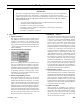
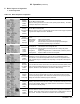
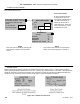
NOTE
"Boiler Cycle" and "Run Time Hours" are resettable by selecting the reset "button"
located on the information screen.
The "Controller Cycles" and " Controller Run Time" data is not resettable and remains
for the life of the control.
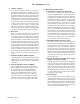
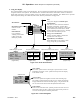
Pumping is a major part of any hydronic system. This screen provides the
status of the boiler’s demand to connected pumps as well as the status of Frost
Protection and pump Exercise functions.
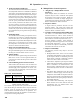
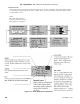
This screen provides the status of the boilers ve (5) possible heat demands.
When demand is off the Control has not detected the call-for-heat. This screen
allows the user to determine which demands are present when more than one
demand is present.
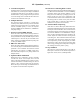
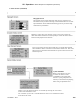
Bargraph Screen
The bargraph screen presents measured values for easy comparison. An
information screen provides monitoring of "Rate Demand To Fan" and "Fan
Speed Feedback". These additional monitoring points are provided to help
monitor blower performance.
i
Cycles and Hours
Boiler cycles and hours are used
to monitor the boilers overall
compatibility to the heating load.
Excessive cycling compared to run
time may be an indication of pumping,
boiler sizing or adjustment issues.