
Install Instructions


110
107750-01 - 9/17
Zone Control Status Screens
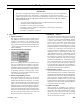
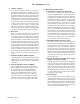
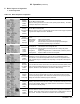
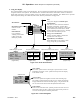
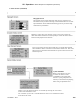
Detail screens are accessed by selecting the “Detail” button from the “Home” screen. These screens provide in
depth operating parameter status such as “On Point”, “Off Point” and “Setpoint Source” information. Demand-specic
details are provided for Central Heat, Auxiliary Heat, Domestic Hot Water and the Sequence Master demands and
outdoor air reset. Sequencer screens are only shown when the Sequence Master is enabled.
4. Detail Screens
XII. Operation E. Boiler Sequence Of Operation (continued)
3. Status Screens (continued)
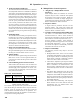
Figure 12.8: Detail Screen Overview
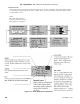
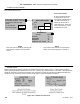
Zone Control Status
press
for
zone
cycles
><
i
Zone Panel 1
Dem and Cyc le s
KITCHEN 45
BEDROOM S 20
BASEMENT 12
DOMESTIC HOT WATER 26
Active zones a re s hown by bold
& underlined numbers. Pres s the
zone panel to view zone cycle
counts.
To reset all zone
cycle counts press:
Reset Cycl e
Counts
NOTE
Only visible is Zone Panel is connected Zone
Panel 1 and 2 shown typical for 1 through 4
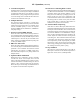
Zone Control Status
Screen provides status and
a page links for up to four
zone panels. Individual zone
“on” status is shown by a
bold zone number with a
solid underscore. “Press” the
zone control “button” to view
individual zone cycles.
NOTE
Zone cycles are resettable by selecting the
reset “button” located on the information
screen.