
Operating instructions

38 38
6 Service Functions
6.7 Save Log les
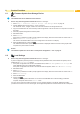
Access only with storage device dened as Default storage !
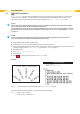
The function Save log les saves a le with the name export.log on the storage device. That le contains the
printer settings and the executed processes since the last startup. The function supports the rmware programmer in
localizing errors.
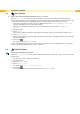
1. If the log le should be saved to an USB ash drive, select USB Memory as Default Storage and insert USB
ash drive into a USB master interface.
If the log le should be saved on the Internal Flash File System, select IFFS as Default Storage.
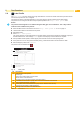
2. Start Ofine menu.
3. Select Service.
If the menu is protected via a PIN a prompt appears in the display. Enter the code number and conrm with OK.
4. Select Save log les.
The le export.log will be saved in the root of the storage device.
5. Conrm with .
The printer returns to the Service menu.
6.8 Printer Model
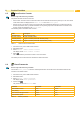
Access only with service key inserted!
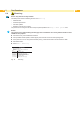
The device designation can be changed with the Printer model function.
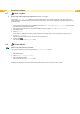
1. Start Ofine menu.
2. Select Service > Printer model.
3. Select the desired model.
The printer returns to the Service menu.
Following all test printout, the short status and the web interface show the chosen printer model.