
Specifications


Chapter 3: Software Installation and Setup
88 SSR 8000/8600 Getting Started Guide
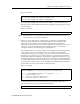
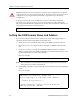
The CLI displays the following message:
8. Type yes to activate the changes.
Note: If you exit Configure mode (by entering the exit command or pressing
Ctrl+Z), the CLI will ask you whether you want to make the changes in the
scratchpad active.
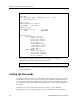
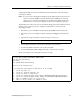
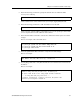
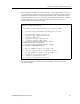
9. To display the active configuration, run the following command:
Here is an example:
10. Changes in the active configuration take effect on the running system but will not be
restored following a reboot. To ensure that changes are restored following a reboot,
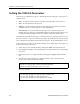
you must save the active database to the Startup configuration file using the following
command:
11. You must exit back to Enable mode to run the command. (Alternatively, you can enter
the save startup command.)
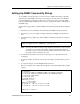
12. The CLI displays the following message:
13. Type yes to add the active configuration to the Startup configuration file.
See “Activating the Configuration Changes and Saving the Configuration File” on page 98
for more information about the scratchpad, active database, and Startup configuration.
Do you want to make the changes Active (yes)?
system show active-config
ssr# system show active-config
Running system configuration:
!
! Last modified from Console on Mon Jun 14 11:55:35 1999
!
1 : system set name "ssr"
2 : system set location "Houston, TX"
3 : system set contact "John Smith"
copy active to startup
Are you sure you want to overwrite the Startup configuration?